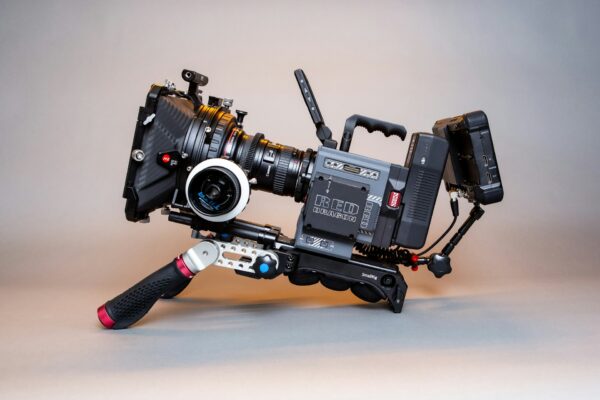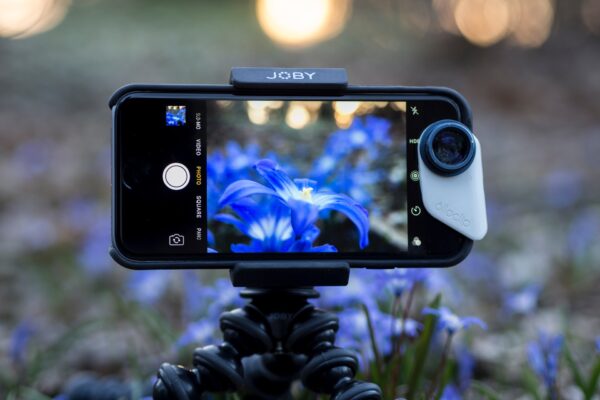
With advancements in technology, the camera on your smartphone can capture videos that can rival traditional cameras. Whether you aim to boost your social media presence, kickstart a vlogging career, or simply capture life’s moments with cinematic flair, mastering the art of smartphone videography is an essential skill.
Understanding Your Smartphone’s Capabilities
Before diving into the nuances of video production, it’s crucial to understand what your smartphone camera offers. Modern smartphones are equipped with features once reserved for high-end cameras, such as 4K resolution, slow motion, time lapse, and even manual controls over ISO, shutter speed, and focus. Spend time exploring your phone’s camera settings and capabilities to fully leverage its potential.
Resolution and Frame Rate
For professional-quality videos, aim to shoot in the highest resolution available, typically 4K. Higher resolution provides more detail and allows for cropping or zooming in post-production without losing quality. Frame rate is also important; 24 frames per second (fps) offers a cinematic look, while 60 fps is ideal for smooth motion or slow-motion effects.
Composition and Framing
The rule of thirds is a fundamental principle in videography and photography. Imagine your screen divided into nine equal segments by two vertical and two horizontal lines. Positioning your subject along these lines or their intersections creates a more aesthetically pleasing and balanced composition. Also, pay attention to your video’s framing. Ensure the subject is in focus, and avoid distracting backgrounds by adjusting your position or using the phone’s depth of field effect.
Stabilizing Your Shots
Shaky footage can detract from the professional quality of your video. Use a tripod or a handheld stabilizer to keep your smartphone steady while shooting. If you’re on the move, use your body to absorb movements, keeping your arms close to your chest, or consider investing in a gimbal for smoother shots.
Lighting Your Scene
Good lighting is pivotal in achieving professional-quality videos. Whenever possible, utilize natural light, shooting during the golden hour—shortly after sunrise or before sunset—for soft, flattering light. Avoid harsh shadows by keeping the light source in front of or beside your subject. In low-light conditions, use external lights or reflectors instead of relying solely on your smartphone’s flash.
Capturing Clear Audio
Audio quality is just as important as video quality. To ensure clear audio, shoot in quiet environments and minimize background noise. Consider using an external microphone that can connect to your smartphone for enhanced audio capture, especially in noisy or outdoor settings.
Editing and Post-Production
Editing is where your video comes together. Several mobile apps offer powerful editing tools right on your smartphone, allowing you to trim clips, adjust colors, add transitions, and incorporate music or voiceovers. Editing enhances the visual appeal of your video and helps to tell a cohesive story.
Exporting for Different Platforms
Tailor your video’s aspect ratio and format depending on where it will be viewed. For example, Instagram Stories and TikTok videos typically use a 9:16 vertical format, while YouTube prefers a 16:9 horizontal format. Exporting in the correct format ensures your video looks its best on any platform.
Mastering Smartphone Videography: Your Path to Cinematic Videos
Shooting professional-quality videos with your smartphone is not just about having the latest technology in your hands; it’s about understanding and maximizing the tools at your disposal. By focusing on settings, composition, lighting, stabilizing your shots, capturing clear audio, and applying thoughtful editing, you can produce content that stands out. Remember, the best camera is the one you have with you, and with these tips, you’re well-equipped to capture the world in stunning detail, one smartphone video at a time.